RV Tech & Tips
In the Starlink & Remote Work From the Road hub.
How to Take Video Calls While Boondocking
Some links below are affiliate or referral links, if you buy through one I may earn a small commission at no extra cost to you. I only recommend gear I actually use, see my full kit on the My RV Setup page. Full disclosure.
Short answer: you can take reliable video calls while boondocking if you nail three things. You need a satellite or cellular internet source with enough upload speed, enough stored power to run it for the whole call, and a backup connection for when the first one drops. Get those right and a Zoom call from the middle of nowhere looks exactly like a Zoom call from a home office. I'm not a full-time nomad. We take the RV out every couple of months. But when I work from it, this is the exact setup and the settings I use, and they've turned off-grid calls into a non-event.
I'll be honest with you. The first time I tried to join a call from a dispersed site with no cell bars, I froze mid-sentence and had to dial back in twice. It was embarrassing. But it's a solved problem now, and none of the fix is complicated once you understand what the call is really asking for.
Cheat sheet: off-grid video call kit
- Internet: Starlink for open-sky sites, it's what turned this from a gamble into routine. My Starlink referral link →
- Backup signal: a magnetic-mount cell booster for fringe-coverage sites, often the difference between a frozen call and a clean one. The one I use on Amazon →
- Power: a roughly 1 kWh portable station covers about eight one-hour calls with room to spare. EcoFlow referral discount →
What a video call actually needs (the numbers)
Before you buy anything, know the target. A standard group video call isn't the bandwidth hog people assume it is.
- Zoom lists a minimum of about 1.5 Mbps for group calls, 2.6 Mbps up and 1.8 Mbps down for 720p HD group video, and 3.8 Mbps up and 3.0 Mbps down to enable 1080p (Zoom's bandwidth guide).
- The number that matters most off-grid is upload, because that's what carries your camera out. Most home-internet marketing brags about download, but on a call your upload is the bottleneck.
So the whole game is getting 3 to 4 Mbps of stable upload to your seat and holding it there for 45 minutes. That's it.
Step 1: Your internet source
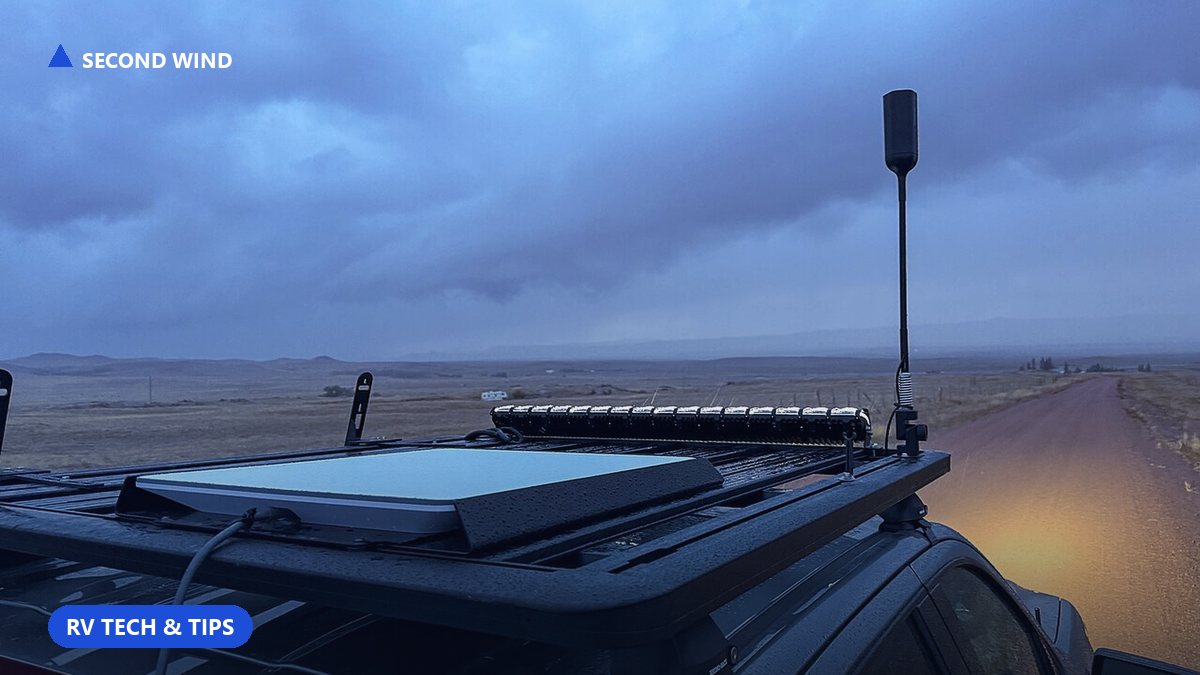
Satellite (Starlink). This is what turned working while boondocking from a gamble into a routine for me. In open sky a Starlink dish delivers upload well past the 3.8 Mbps a 1080p call wants, and it does it in places with zero cell coverage. The catch is that it needs a clear view of the northern sky. Park under heavy tree cover and you'll get "obstructed" dropouts mid-call, so scout your spot for open sky the same way you'd scout it for a level pad. I run the standard dish myself, and my referral link is in the cheat sheet above if you want to try it.
Cellular, as primary or backup. If you camp where you actually have a couple of bars, a phone hotspot or a dedicated cellular router can carry a call just fine. The trick is a signal booster or an external antenna when you're on the edge of coverage. A cheap magnetic-mount cell antenna that gets you from one bar to two is often the difference between a frozen call and a clean one (the one I use is in the cheat sheet above).
The move that saved me most often is simple. Have both. Starlink as primary, phone hotspot as the emergency lane. When the dish hiccups because the wind slid a cloud of aspen leaves in front of it, I fail over to the phone in about ten seconds.
Step 2: Power to run it for the whole call
This is the part people forget. Your internet only works if it's powered, and satellite gear is thirsty.
A Standard Starlink dish and router pull roughly 50 to 75 watts in normal use, and closer to 75 to 100W on the newest dish, which works out to about 1 to 1.5 kWh over a full day (EcoFlow's Starlink power breakdown; confirm your own model). Add a laptop at 30 to 60W, plus the call itself pushing the radios harder, and a one-hour meeting is a real draw on your batteries.
Here's the math I run before any call:
- Starlink: about 75W
- Laptop: about 50W
- Total: about 125W, so a one-hour call runs roughly 125Wh.
That's tiny against a decent power station. I keep a roughly 1 kWh portable unit on the desk (EcoFlow link in the cheat sheet above). The EcoFlow Delta 2 is about 1,024Wh (verify the current listing), which is around eight one-hour calls' worth of runtime with plenty to spare, and it recharges from solar or the alternator between meetings. If you want the full off-grid power logic instead of just the call math, I laid it all out in You Don't Need Shore Power, and the solar-sizing side of it in How Much Solar Do I Need to Work From My RV?
One warning that earned its own article: don't fire up a high-surge appliance during a call on the same power source. I explain why in Your AC Will Kill Your Starlink, but the short version is that a big inductive load can brown out your electronics at the worst possible moment.
Step 3: The settings and habits that make calls boring (in a good way)
Gear gets you connected. These habits keep you from looking like a slideshow.
- Turn off HD video when the connection is thin. In Zoom, uncheck "Enable HD" under Settings, then Video. Dropping to 720p roughly halves your upload demand, and almost nobody on the call can tell.
- Kill background sync before you join. Cloud backup, OS updates, and photo uploads all fight your call for that precious upload lane, so pause them. On a metered or hotspot connection, flip the OS setting to "metered" and it'll stop auto-updating.
- Wire in when you can. If your router has an Ethernet port, a cable to your laptop beats Wi-Fi for stability every time. Wi-Fi is fine. It's just one more thing that can wobble.
- Camera off is a legitimate tool. If the connection is genuinely marginal, going audio-only is far more professional than a frozen face. Nobody remembers the call where your camera was off. They remember the one where you glitched out.
- Position for sky, not for the view. Park so your dish sees open northern sky. That pretty overlook with the big pine to the south is where calls go to die.
- Do a two-minute test call. Before anything that matters, join a test meeting and watch your own video. It surfaces obstruction and power problems while you can still fix them.
My actual pre-call checklist
I run this every time, and it takes about three minutes:
- Dish has clear northern sky, full bars, no "obstructed" warning
- Phone hotspot on and tested as backup
- Power station above about 40% (an hour of calls is nothing, but I like the margin)
- Background sync and updates paused
- HD video off if upload is under about 5 Mbps on a speed test
- Two-minute test call done
That's the whole system. Internet, power, backup, plus a handful of settings. None of it is exotic, and once it's dialed in, taking a call from a national forest is no more stressful than taking one from a spare bedroom.
Working from the road takes more than one clean call, though. If two of you are out there together, The Two-RV Office covers the space-and-bandwidth reality of two people on calls at once.
Frequently asked questions
Can I really take a Zoom call with no cell service at all?
Yes. That's exactly what satellite internet like Starlink is for. With a clear view of the sky it delivers more than enough upload for HD video in places with zero cellular bars. Your limiter becomes sky obstruction and power, not coverage.
How much upload speed do I actually need for a video call?
Aim for about 3 to 4 Mbps of stable upload. Zoom's own guidance is roughly 2.6 Mbps up for 720p group HD and 3.8 Mbps up to enable 1080p. Upload matters more than download because it carries your camera.
How much battery does an hour-long call use?
Roughly 125Wh in my setup, about 75W for the Starlink gear plus about 50W for the laptop. Against a roughly 1 kWh power station that's a small dent, so a single call is never the thing that drains you. Running the dish all day is.
What's the single best thing I can do to avoid dropped calls?
Have a backup connection and be willing to use it. I run Starlink as primary and a phone hotspot as the emergency lane, and I keep the discipline to drop to audio-only when the signal is marginal. That combination is what makes off-grid calls boring instead of nerve-wracking.
Shop: boondock video-call kit
- USB noise-cancelling headset
- 1080p webcam — better than built-in in bright windows
- USB-C multiport hub
Keep the modem up through the call: EcoFlow referral