Living Well
In the Living Well After 50 hub.
Picking a Portable Power Station for CPAP: Do the Math
Some links below are affiliate or referral links, if you buy through one I may earn a small commission at no extra cost to you. I only recommend gear I actually use, see my full kit on the My RV Setup page. Full disclosure.
If you use a CPAP and you're ever without wall power, camping, an outage, an RV with no hookup, there's exactly one question that matters: will your battery actually outlast the night. Not a brand name, not a star rating, just watts times hours. I write about RV power systems for a living on this site, sizing batteries for routers and laptops instead of medical equipment, but the math is identical either way. Here's how to run that math on your own machine, before you spend money on a battery sized for the wrong number.
Editorial notice. I am an IT systems engineer who writes about RV power systems, not a CPAP user or a clinician. Everything below is researched from manufacturer spec pages and published device documentation, not something I've personally run all night. Check your own machine's power supply label or user manual for its actual wattage, and talk to your doctor or durable medical equipment supplier before relying on battery backup for a therapy device, especially if you have any health condition where a lapse in treatment matters.
Start with your own machine's number, not a generic one
Every CPAP is different, and the single biggest mistake is sizing a battery off some other machine's wattage. Look at the power supply brick that came with yours, it has a rating printed on it, usually in watts (W) or volt-amps (VA). As one real example, not a universal one, ResMed's AirSense 11 ships with a 65W power supply, but ResMed's own power supply listing puts typical consumption around 56W and peak around 73W (checked October 2026), the printed power supply rating is a worst-case ceiling, not what the machine draws all night. Older machines without a heated humidifier commonly run lower, in the 15 to 30 watt range at the blower alone. Find your own number before you trust any table, including the one further down this page.
The humidifier is what actually moves the number. A heated humidifier on a mid setting can roughly double your draw versus the blower alone, and a heated hose on top of that pushes it higher still. If you use either, plan around that higher draw, not the blower-only number, because that's the number that will actually run out at 3 a.m.
The math itself
Once you know your watts, this is the whole calculation:
- Watts × hours = watt-hours needed. An 8-hour night at 20W is 160Wh. The same 8 hours at 50W is 400Wh.
- Back out inverter loss if you're running off the AC outlet. A power station's AC inverter is not 100% efficient, figure on losing roughly 10 to 20% of rated capacity to heat in conversion. A 286Wh unit does not hand you 286Wh of actual CPAP runtime through its AC outlet, figure closer to 240 to 250Wh of usable power.
- Divide usable watt-hours by your machine's watts, then by 8, to get nights. That's the comparison the table below is built on.
The free 10 to 20% almost nobody mentions: DC instead of AC
Almost every CPAP runs on low-voltage DC internally (commonly 12V or 24V) even though it ships with a plug for the wall. Some CPAP brands sell a dedicated DC power cable or DC-to-DC adapter for their machine, made to plug straight into a power station's 12V car-style port instead of the AC outlet. Skip the inverter entirely this way and you skip the conversion loss that comes with it, often 10 to 20% more runtime from the same battery. Not every machine has this cable available, and not every power station's 12V port is wired the same way, so check with your CPAP's manufacturer or supplier for a compatible DC adapter before you count on it. If one exists for your machine, it's the single best upgrade for off-grid runtime, better than buying a bigger battery.
Three currently-sold options, run through the same math
Once you know your own wattage, here's how three real, currently-sold power stations stack up, one each from EcoFlow, Jackery, and Bluetti. Specs below are pulled straight from each brand's own product page, not a reseller or review site, checked October 2026.
| Power station | Capacity | Price | Nights, no humidifier (~20W) | Nights, with humidifier (~50W) |
|---|---|---|---|---|
| EcoFlow RIVER 3 Plus | 286Wh | $319 | ~1.5 | ~0.6 |
| Bluetti AC50P | 504Wh | $339 | ~2.7 | ~1.1 |
| Jackery Explorer 600 v2 | 640Wh | $499 | ~3.4 | ~1.4 |
"Nights" assumes an 8-hour sleep at 85% AC inverter efficiency and the 20W / 50W reference draws above. Swap in your own machine's actual wattage from the first section and redo the division, these are a starting point, not a promise.
EcoFlow RIVER 3 Plus
286Wh, LiFePO4 (3,000 cycles to 80% capacity), 600W continuous output with 1,200W surge, 10.4 lb, $319, per EcoFlow's own product page. Lightest and cheapest of the three, a reasonable single-night backup for a blower-only setup, or a grab-and-go option camping without a humidifier running. EcoFlow is the one brand here I actually have a referral relationship with, same unit family as the EcoFlow power station I run as a clean-power buffer in my own RV, current pricing and stock through that link.
Bluetti AC50P
504Wh, LiFePO4, 700W continuous output, 15.12 lb (6.9 kg), $339, per Bluetti's own product page. Nearly double the EcoFlow's capacity for $20 more, the best per-dollar runtime of the three if a humidifier is part of your routine most nights.
Jackery Explorer 600 v2
640Wh, LFP (LiFePO4), 500W continuous output with 1,000W surge, 14.11 lb (6.4 kg), $499, per Jackery's own product page. Biggest and most expensive of the three, the one to pick for real margin, more than one night even with a humidifier running, or a backup plan for an outage that runs long.
Where this fits with the rest of my power setup
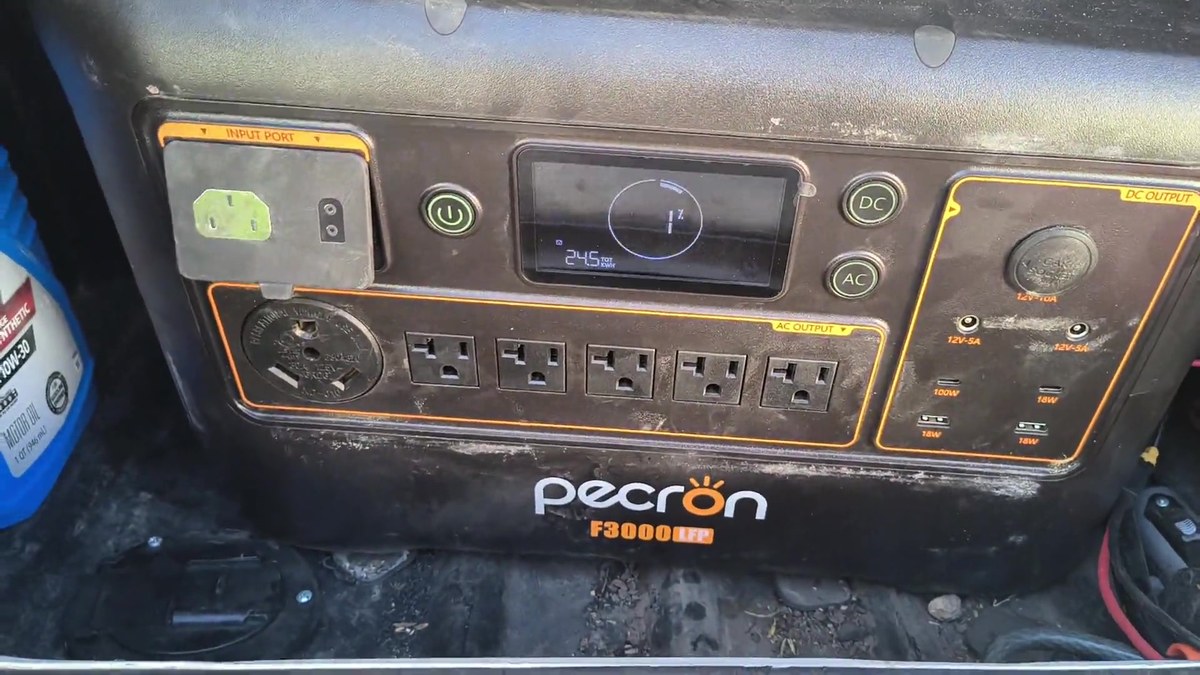
I already run a portable power station as the clean-power buffer in my own RV electrical system, a Pecron F3000LFP in my case, for a different job: keeping Starlink and office gear running off-grid. The sizing math is the same idea as this page, watts times hours, with inverter loss backed out, just applied to a CPAP instead of a router. If you're trying to figure out how much solar would keep a setup like this topped off, I worked through that separately in How Much Solar Do I Need to Work From My RV?, and if you camp somewhere with no hookups at all, Cochiti Lake and Hecla Junction are two boondocking spots where this exact battery math is the difference between sleeping fine and waking up to a dead CPAP at 3 a.m.
Quick disclosure: the EcoFlow link above is my referral link, and I may earn a commission if you buy through it, at no extra cost to you. I don't have an affiliate or referral arrangement with Jackery or Bluetti, so those two links above go straight to their own product pages with nothing in it for me. Full disclosure.